How to Open BKF File in Windows Vista
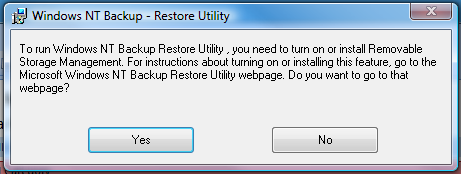
Windows Vista by default lacks the feature to open a bkf file created in Windows XP using NTBACKUP utility.

To Open a BKF file in Windows Vista, you’ll need to turn on or install the Removable Storage Management by following these steps:
- Click the Start button and then click Control Panel.
- Click Programs.
- Click Turn Windows Features on or off, and respond to the security prompt.
- Select the check box next to Removable Storage Management to turn the feature on, and then click OK.
Or
You can use the alternative tool to open bkf file and explore bkf file contents inside a bkf file.
Windows backup recovery tool offered at http://www.bkfrecovery.net , allows you a easy way to open bkf file, extract bkf file, explore bkf file and search files in bkf file.
Get the powerful all-in-one bkf file recovery tool from www.bkfrecovery.net
Related Posts
Bookmark and Share this Page with these Social Networks : System Recovery Tools